
HCDD 264 Class Group Project
Oluwaseni Johnson, Marcela Ramirez Vadillo, Methmi Muthugala, Aarya Vivek Awasthy
Overview
As part of Penn State’s HCDD 264 class, which emphasized iterative design, stakeholder analysis and collaboration in industry-based design teams, our final project focused on addressing a wicked problem. I worked with a team to tackle the decline in tourism, recognizing its global cultural and economic impact. Poor tourism management can damage historical sites, threaten local economies and compromise traveler safety and trust. In response, we designed an app that promotes responsible tourism by aligning traveler needs with those of local communities, creating a more meaningful and sustainable experience. Our app includes features like itinerary, vlogs, maps, safety and hidden gems.
Problem
- Tourism has decreased because of the COVID-19 pandemic, and it is slowly increasing again.
- Deterioration of tourist spots because of climate change and the large amount of people that visit every day.
- No control over the large amount of tourists.
- Agencies focus on advertising specific tourist attractions, disregarding others.
Methodology
- Researched real-life problems
- Identified stakeholders and how they are affected by the problem
- Established significant user flows
- Designed a customer journey map
- Developed low and high-fidelity wire frames
- Incorporated gestalt principles
- Explored design systems
- Usability Testing
Insights
The objective was to connect agencies and tourists in a way that tourists would have more freedom and personalized trips while prioritizing conservation and safety within the places.
- Research tourism in the United States
- Focus on GPS/ Location
- Empathize with the goals of the tourist agencies and tourists
- Prioritize leisure
- Expand on “Hidden Gems” where different types of tourist can explore less popular places
We started with a broad focus on global tourism, then we narrowed it down to enhancing tourism in the US to ensure a more manageable and actionable scope.
After researching several sites related to traveling, we came to the conclusion that most of them focus more on getting to a destination rather than what to do at the destination. The few that give generalized activity suggestions are limited to highly visited spots and advertising; it seems more like they’re trying to sell a product.
Our initial concept considered the agencies and tourists as stakeholders. However, we decided to focus only on tourists as the primary audience for our application, recognizing their essential role for solving the problem.

Early Concepts

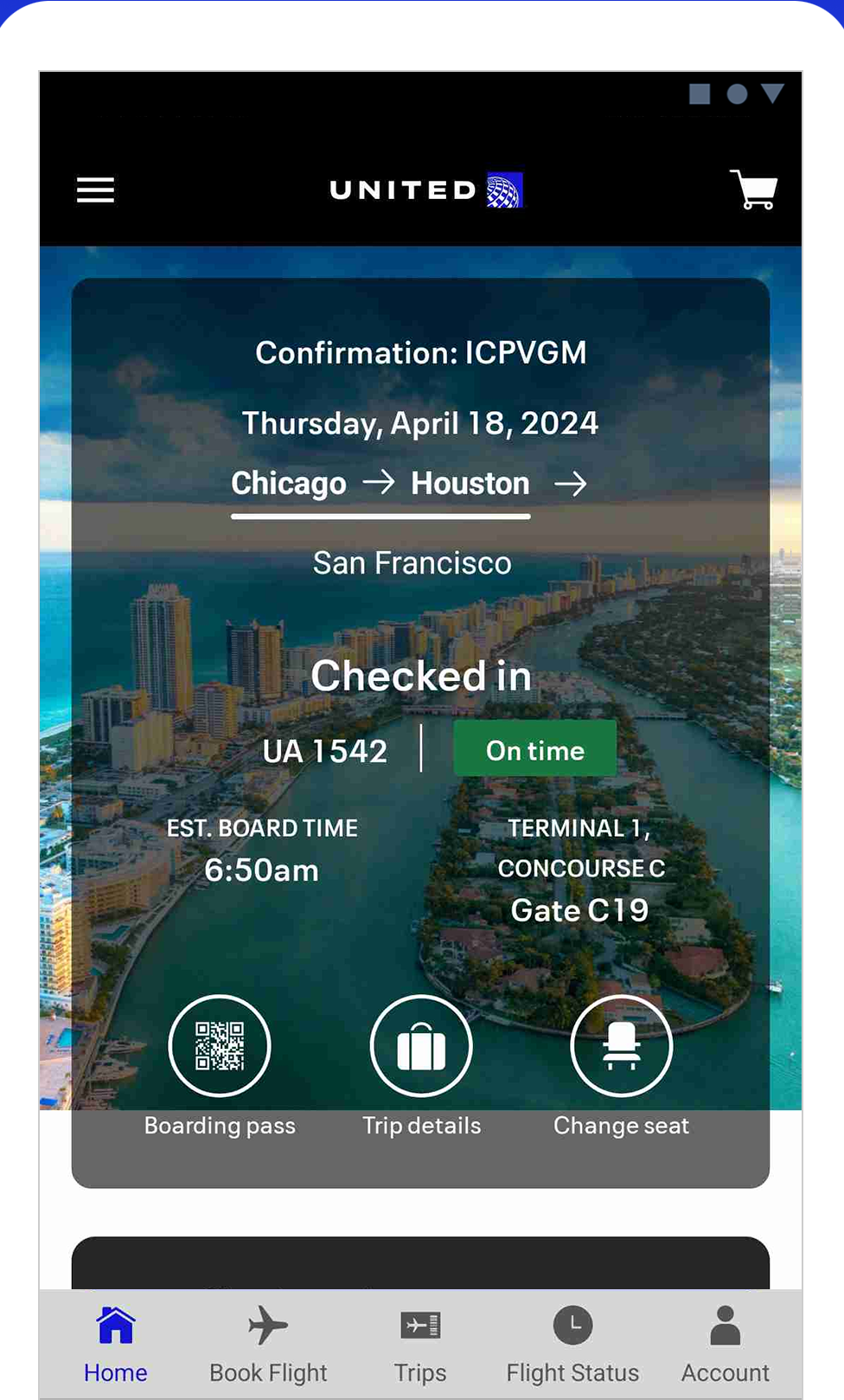
This shows how the tourist guide and tourists would chat, receive updates and alerts in real-time with all the information in one place to enhance clarity, coordination and communication. 
Accessibility is a priority to eliminate language and disability barriers. 
This is an early concept of the feature that would recognize famous sites and provide more information. The app would also have a notification system to keep users on track with their personalized tour. 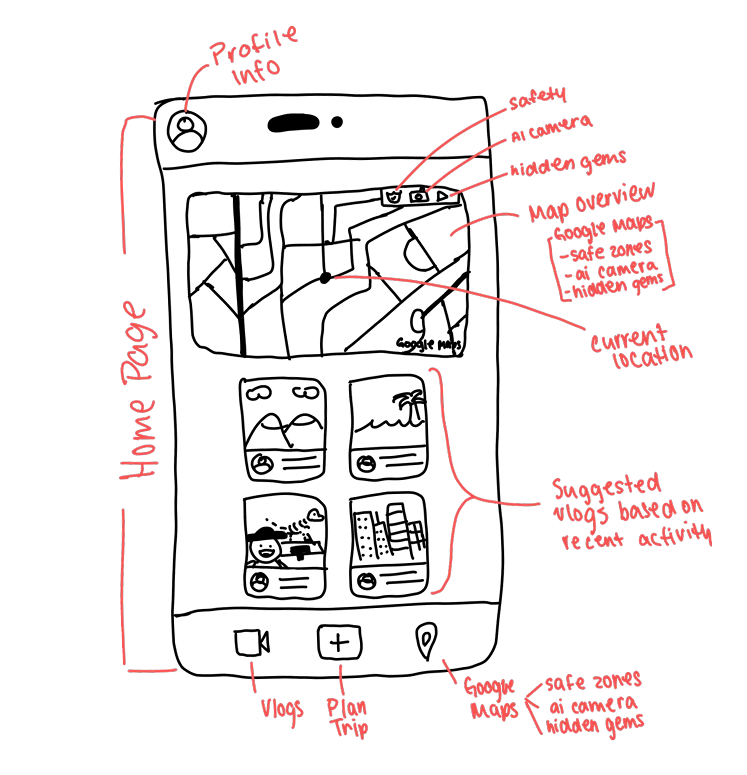
This is an early concept of the homepage where users would explore the different features including maps, safety of a certain area, ai camera, a game to find new places and vlogs. 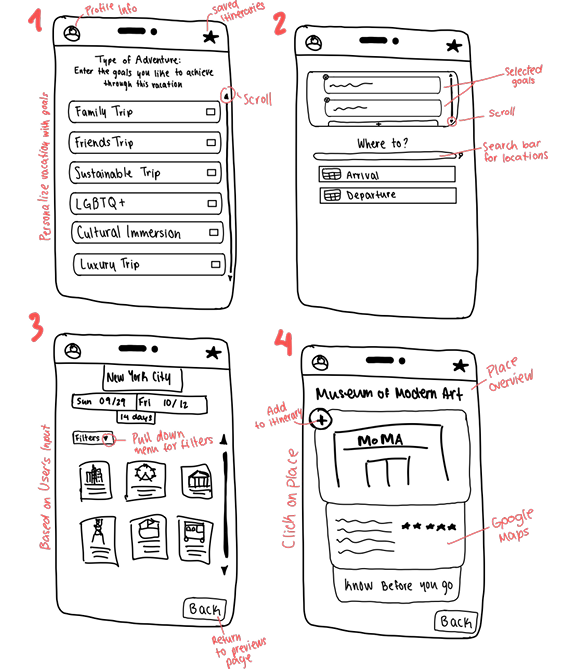
This is an early concept of how users would generate itineraries with the help of AI based on their goals.
Research
We conducted interviews with students who would be potential users:
- We focused on getting to know more about the things people prioritize and pay attention when visiting new places.
- The interviewees found our ideas beneficial and aligned with their goals while they travel.
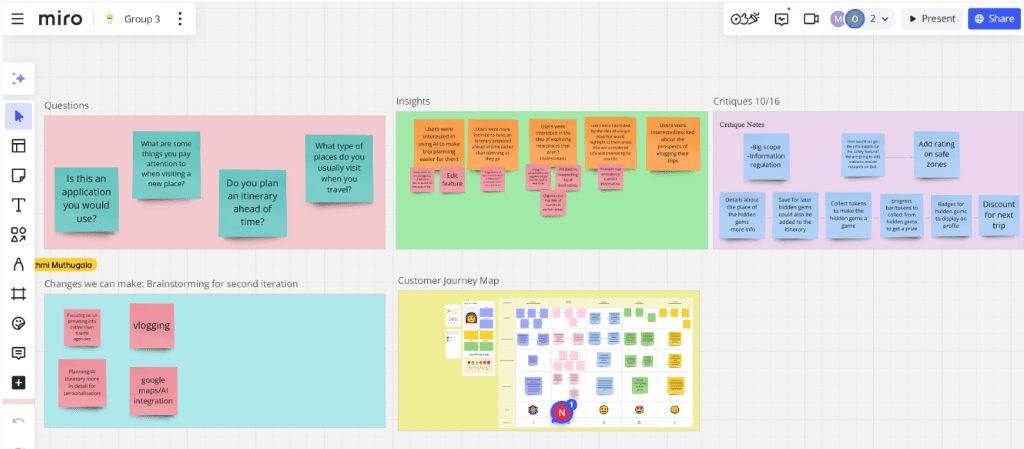
- While they shared similar goals, each conversation emphasized different components of the application idea. Even though we were asking the same questions, users had different perspectives and priorities such as finding places to eat, learning about interesting places from locals, and feeling safe while traveling.
Analysis
Most people found AI integration in the itinerary helpful and interesting. Another popular feature was the language translation option, where people scan text with their camera and translate it into their preferred language.
They thought that having features that can take you beyond popular attractions was great.
Iterations
After user research, we realized that we could create a greater impact by only focusing on tourists and excluding agencies. Tourists can accomplish their goals with 5 main components: create their own itineraries, blogging, maps, safety and a way to learn about locals, culture and hidden places. Highlighting these features gives users greater flexibility and a more personalized experience.
Itinerary
- Enabling users to select preferred travel destinations, a “know before you go” feature, suggested itineraries, and tourist recommendations.
- The main concerns were sourcing accurate destination information and clearly communicating that the user can edit and interact with the itinerary.
- In the second iteration, we integrated AI and an edit feature to deliver a more personalized and dynamic experience.
Blogging
- Later in the process, we replaced blogs with vlogs due to the growing popularity of video content in recent years.
- We wanted to include a blog feature as a forum for sharing photos and reviews.
Maps
- We integrated Google Maps for enhanced navigation.
- We also added AI camera and language detection tools that provide location-specific information and assistance with translation.
Safety
- What began as a simple toggle button on Google Maps for identifying safe zones evolved into an interactive map feature that ranks areas from most to least safe, offering users a clearer and more informed view of their surroundings.
Hidden Gems
- This was initially designed to reward users with vouchers and discount coupons for discovering unpopular destinations. However, we found that partnering with business nationwide was beyond our scope, so we switched to giving badges as rewards to maintain user motivation.
Usability Testing
We developed a usability protocol made up of simple tasks included on our low fidelity wire frames. We had 2 participants for this test. Each task included a different feature:
Task 1- Create an itinerary for a trip:
You want to plan a trip for spring break. Create a schedule that fits everything you want to accomplish. Enter the details of your trip to have everything ready to go.
- Add the activities you want for your trip. What would you do if you want to save activities to access them later?
- Check the AI-generated itineraries, and save the ones you like.
- What would you do if you wanted to edit an itinerary?
- It is time to finalize your itinerary, which one would you pick?
Task 2- Watch vlogs made by other users:
You want to learn more about the activities that are available at your trip destination. Watch vlogs posted by other users and interact with their content.
Task 3- Create your own vlog:
You want to record parts of your trip and share it on Vista. Record clips of your vlog and get it ready to publish.
Task 4- Use our map for navigation during your trip and the features included:
You are at your planned destination, what would you do if you want to explore what’s near you? Learn more information about the places you want to discover.
- See what hotels and restaurants are near the area.
- Read reviews and discover leisure activities around you.
- There is a cool sculpture in front of you but you don’t know anything about it, how would you use the app to learn about it?
- Safety is important when traveling, lets find out how safe this place is.
(Explore the AI Camera, Safety feature, and Hidden Gems game)
Task 5- Play a game while navigating:
Let’s play! Look out for the hidden gems near you. Explore local favorites in the place you’re traveling. How many gems have you collected? Have you earned any badges?
Results:
- Homepage: users found it clean and easy to navigate.
- Itinerary:
- They really appreciated the ability to edit, save, and share travel plans.
- Confusion around specific buttons like “favorites”, “saved”, and “scan”. Clearer labels and visual cues to guide users were needed.
- One user didn’t realize that the days in the itineraries were clickable, so we considered adding arrows or buttons to signal that those sections can be expanded and edited.
- Users pointed out the need for an itinerary overview page, where they can easily access all trip details in one place.
- Vlogs:
- Well structured.
- Users liked the layout, review integration, and sharing options.
- Pointed out small improvements, like clarifying the upload button.
- Safety:
- Well structured.
- Suggested on making it more interactive.
- Overall, the feedback confirmed that our core structure supported user needs.
 Marcela Ramirez Vadillo